Read the message before you change anything
KDP tells you why a file failed, in an email and in the Print Previewer. The wording points at the cause. A cover error, for example, reads: “Resize the background or image on your cover so that it extends 0.125” (3.2 mm) beyond the trim line.”
The message can also point at the wrong thing. We come back to that below. First, the list KDP itself publishes.
The causes KDP lists
KDP’s Paperback Submission Guidelines name these as common points of failure. Read on 14 November 2026.
- Transparent objects and layers not flattened. Flatten them in the original file, then export again.
- Locked or encrypted files. Export a plain PDF with no password and no restrictions.
- File names with emoji or unsupported special characters. Rename the file with letters, numbers and hyphens.
- Crop marks, trim marks, bookmarks, comments, invisible objects, annotations, placeholder text or metadata. Export without them. Check the front matter, headers and footers for template text left behind.
- Missing pages, or too many blank pages. Compare the page count with the manuscript.
- No title on the front cover.
- No barcode. You can supply your own. If you do not, KDP adds one to the back cover, so leave room for it.
- Wrong pagination. Numbers run in order, with even numbers on left pages and odd numbers on right pages. Roman numerals are allowed for the front matter.
- PDF creation logos or watermarks. Some free converters stamp these on.
Cover problems
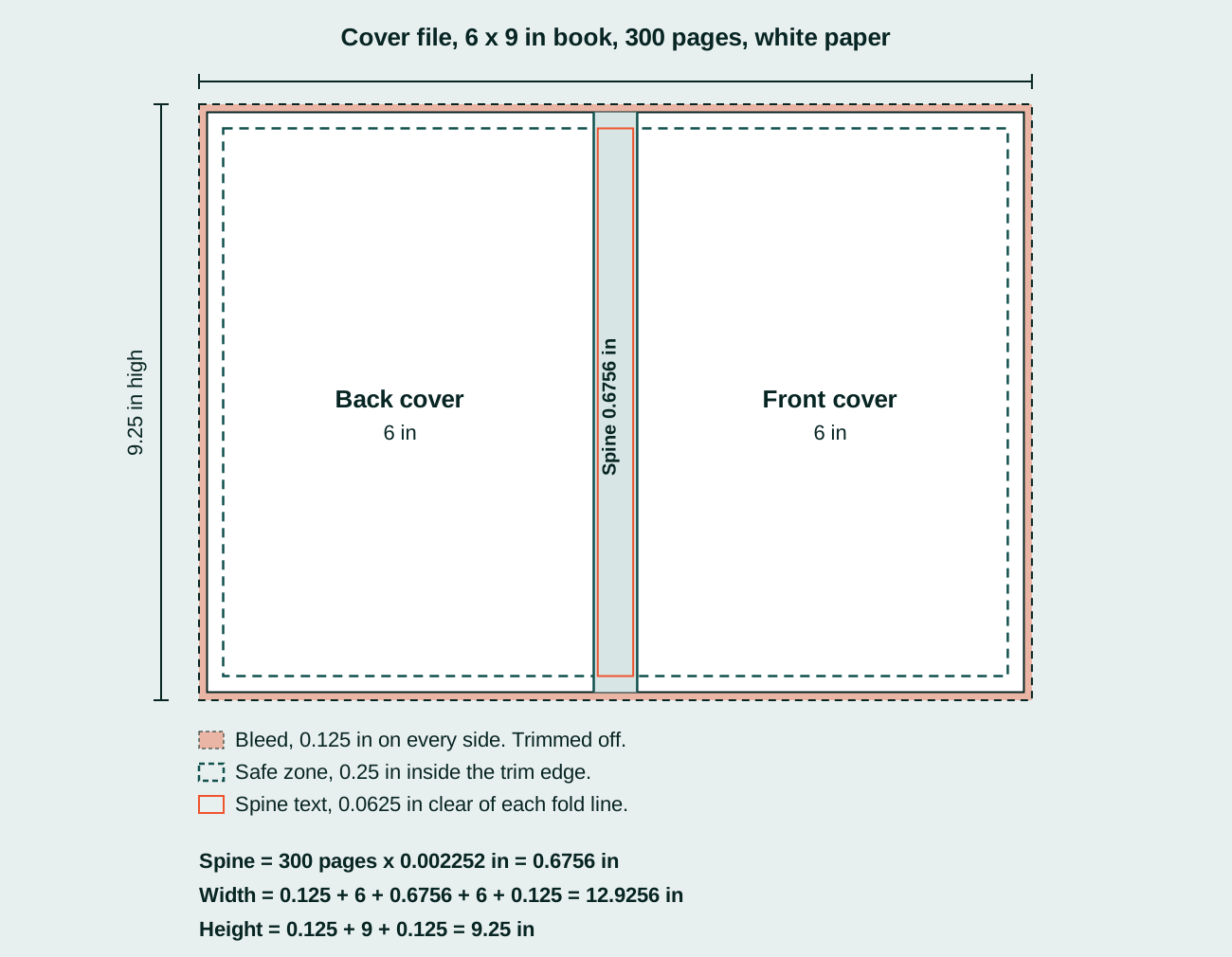
The cover file is a flat sheet: bleed, back cover, spine, front cover, bleed. Its size is not a guess. KDP gives the formulas:
- Cover width = bleed + back cover width + spine width + front cover width + bleed
- Cover height = bleed + trim height + bleed
- Spine on white paper = page count x 0.002252 in. On cream paper, page count x 0.0025 in.
Here they are worked for a 6 x 9 in book of 300 pages on white paper. The spine is 300 x 0.002252 = 0.6756 in. The file is 0.125 + 6 + 0.6756 + 6 + 0.125 = 12.9256 in wide and 0.125 + 9 + 0.125 = 9.25 in high.
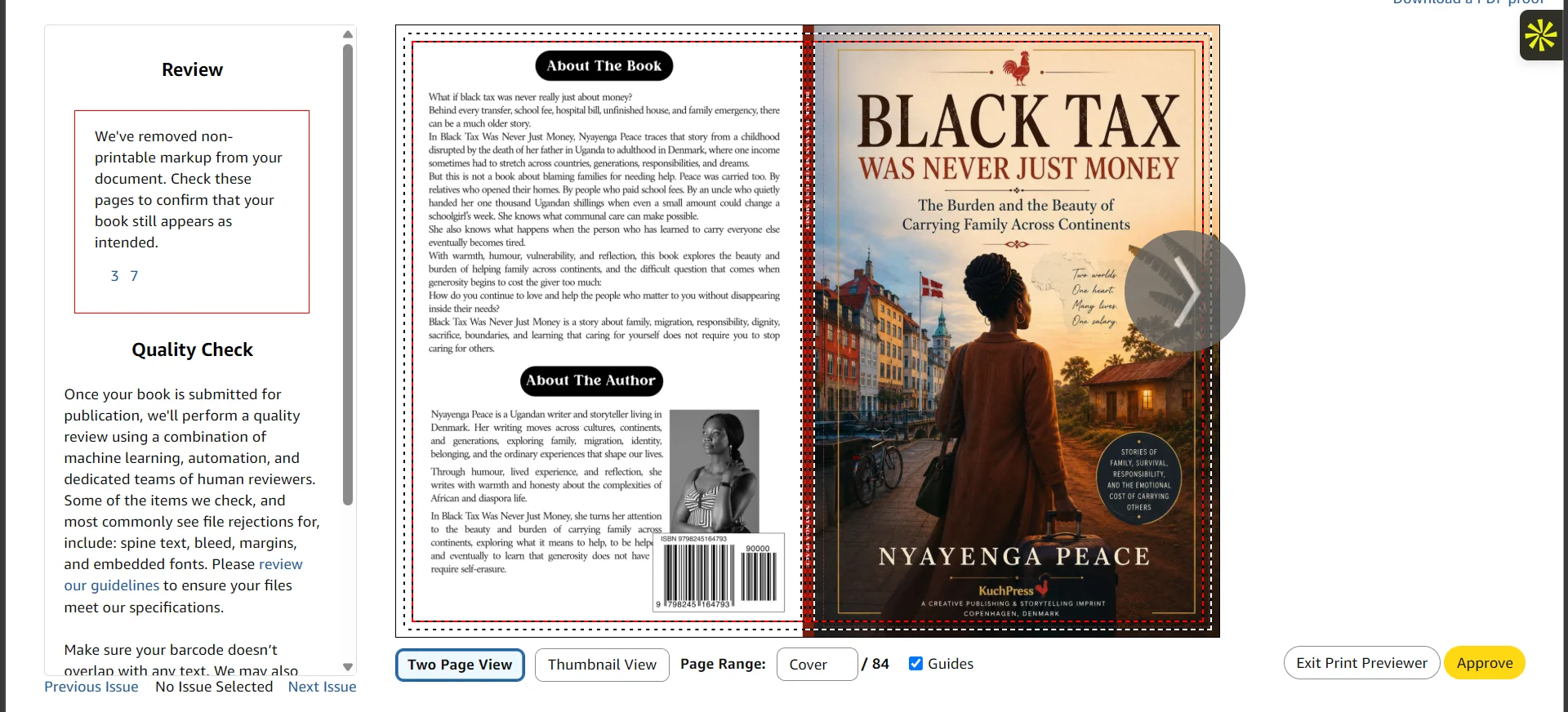
This is a full wrap checked in the KDP Print Previewer before upload, from one of our books: back cover with the description and barcode, spine, and front cover in one file.
Three more rules cause most cover rejections:
- Bleed of 0.125 in is required on every side.
- Anything you do not want trimmed must sit at least 0.25 in from the outside edge of the cover.
- Spine text only prints on books of more than 79 pages. It needs at least 0.0625 in of clear space either side, and KDP says to allow another 0.0625 in of variance on either side of each fold line, because every book shifts a little when it is bound.
An author on r/KDP in August 2026 had a spine text rejection after a proof copy came out fine. The reply that explained it: “A proof is one copy, off one machine, on one day. It tells you the file works, it can’t tell you anything about the tolerance.” (source)
The simplest advice in that thread was also the best: “Use the KDP Cover Calculator. That gives you the template. Then you just need to keep your text in the white area.”
Interior problems
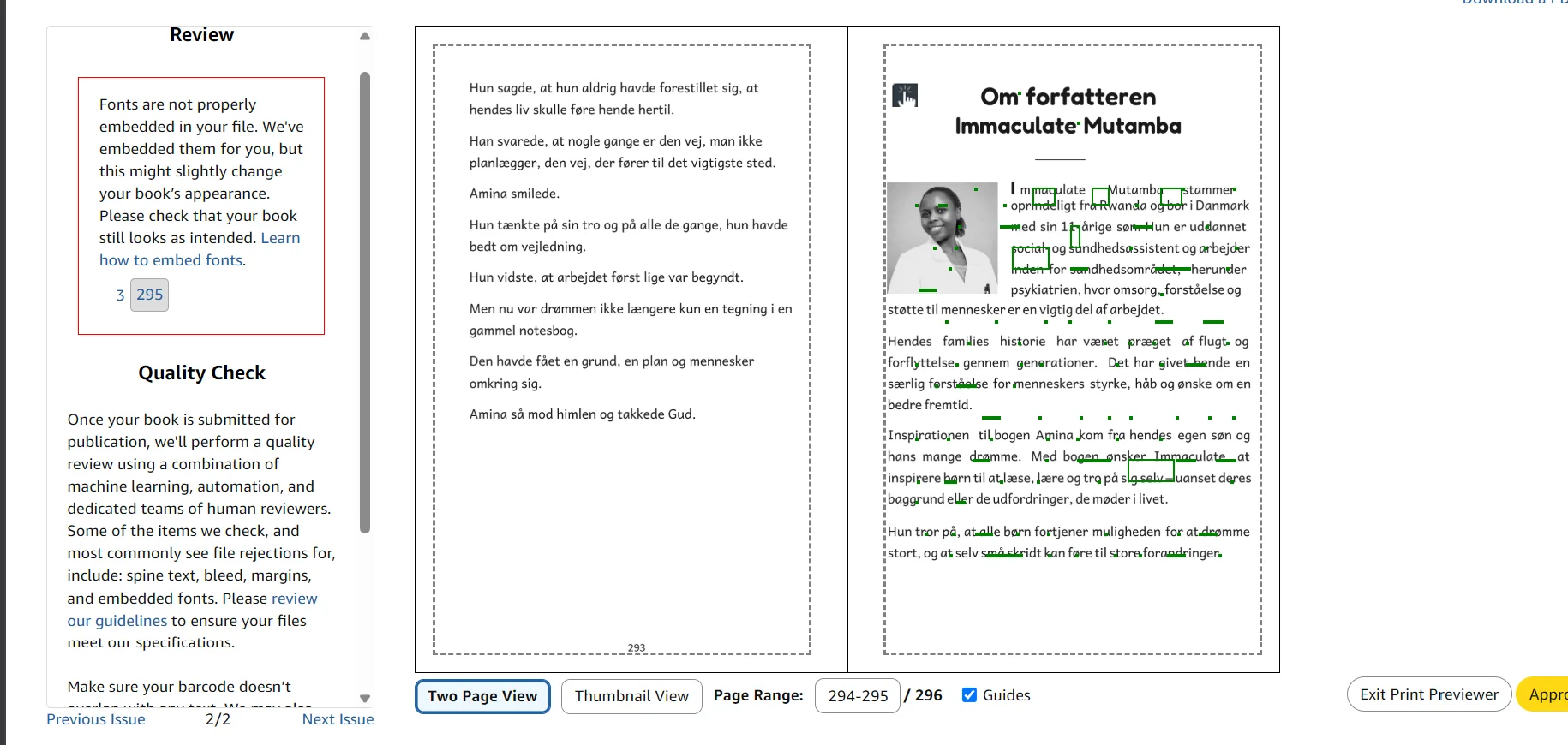
This is what a flag looks like in the KDP Print Previewer. It came up while we checked a book of ours set in Danish: “Fonts are not properly embedded in your file. We’ve embedded them for you, but this might slightly change your book’s appearance.” The dashed lines on each page are the margin guides, and the panel on the left lists every issue with the page it is on.
- Margins. Too close to the trim edge is the most common. The numbers are in What margins does a KDP paperback need?
- Fonts not embedded. In Word, tick “Embed fonts in the file” under Save, then save as PDF. In InDesign, a PDF export embeds fonts by default.
- Low-resolution images. KDP wants at least 300 DPI. Insert images at their original size and do not enlarge them afterwards. Turn off image compression in Word.
- Hidden elements. An empty text box or a forgotten art box counts. Delete it.
- Book details that do not match the file. KDP’s example: “author name John T. Smith entered in book details and J.T. Smith on the title page.” Compare the title page, copyright page and headers with what you typed into KDP.
- Text too small or too faint to read. The smallest type KDP accepts is 7 points.
When the message does not match the problem
In a September 2023 r/selfpublish thread, an author got the cover bleed error again and again, and wrote: “I’m getting this error bleed or no bleed, and have resized the cover files repeatedly.”
The answer was a different rule altogether: “Errors like this can persist when you’re actually having a Live Element Margin issue. That can happen when text, borders, or anything like either is a little too close to the trim edge, and that’s regardless of bleed.” (source)
The same thread added that high-contrast patterns near the edge can cause it, and rarely an invisible object such as a transparent box. If resizing does nothing, move everything in from the edge and delete anything you cannot see.
A fix order that works
- Read the exact message and note which file it names, the cover or the interior.
- Rebuild the cover on KDP’s template from the cover calculator, with your final page count and paper type.
- Move every piece of text and every border at least 0.25 in in from the trim edge.
- Flatten layers and transparency. Embed every font. Remove crop marks, comments and placeholder text.
- Export a fresh PDF and check the page count and the file name.
- Upload, and read the Print Previewer before you submit.
To get the spine width and the cover file size for your own page count, with every step shown, use the spine width and cover size calculator.
When to hand it over
If the file is rejected a second time, the quickest route is to send it to someone who sets these files every day. TintaPress repairs rejected files in Adobe InDesign. Send the PDF and the exact message KDP gave you. See file repair.
Sources
- Kindle Direct Publishing, Paperback Submission Guidelines, read 14 November 2026.
- Kindle Direct Publishing, Fix Paperback and Hardcover Formatting Issues, read 14 November 2026.
- r/KDP, Spine Text Margin (0.625) issue, August 2026.
- r/selfpublish, Amazon KDP cover file bleed error despite repeatedly resizing, 12 September 2023.