The numbers
KDP sets a minimum for each margin. Only the inside margin changes with the length of the book. These are KDP’s own figures, read from its Paperback Submission Guidelines on 14 November 2026.
| Page count | Inside (gutter) | Outside, no bleed | Outside, with bleed |
|---|---|---|---|
| 24 to 150 | 0.375 in (9.6 mm) | at least 0.25 in (6.4 mm) | at least 0.375 in (9.6 mm) |
| 151 to 300 | 0.5 in (12.7 mm) | at least 0.25 in (6.4 mm) | at least 0.375 in (9.6 mm) |
| 301 to 500 | 0.625 in (15.9 mm) | at least 0.25 in (6.4 mm) | at least 0.375 in (9.6 mm) |
| 501 to 700 | 0.75 in (19.1 mm) | at least 0.25 in (6.4 mm) | at least 0.375 in (9.6 mm) |
| 701 to 828 | 0.875 in (22.3 mm) | at least 0.25 in (6.4 mm) | at least 0.375 in (9.6 mm) |
“Outside” means the top, bottom and outer edge of the page. KDP says every page has three outside margins and one inside margin.
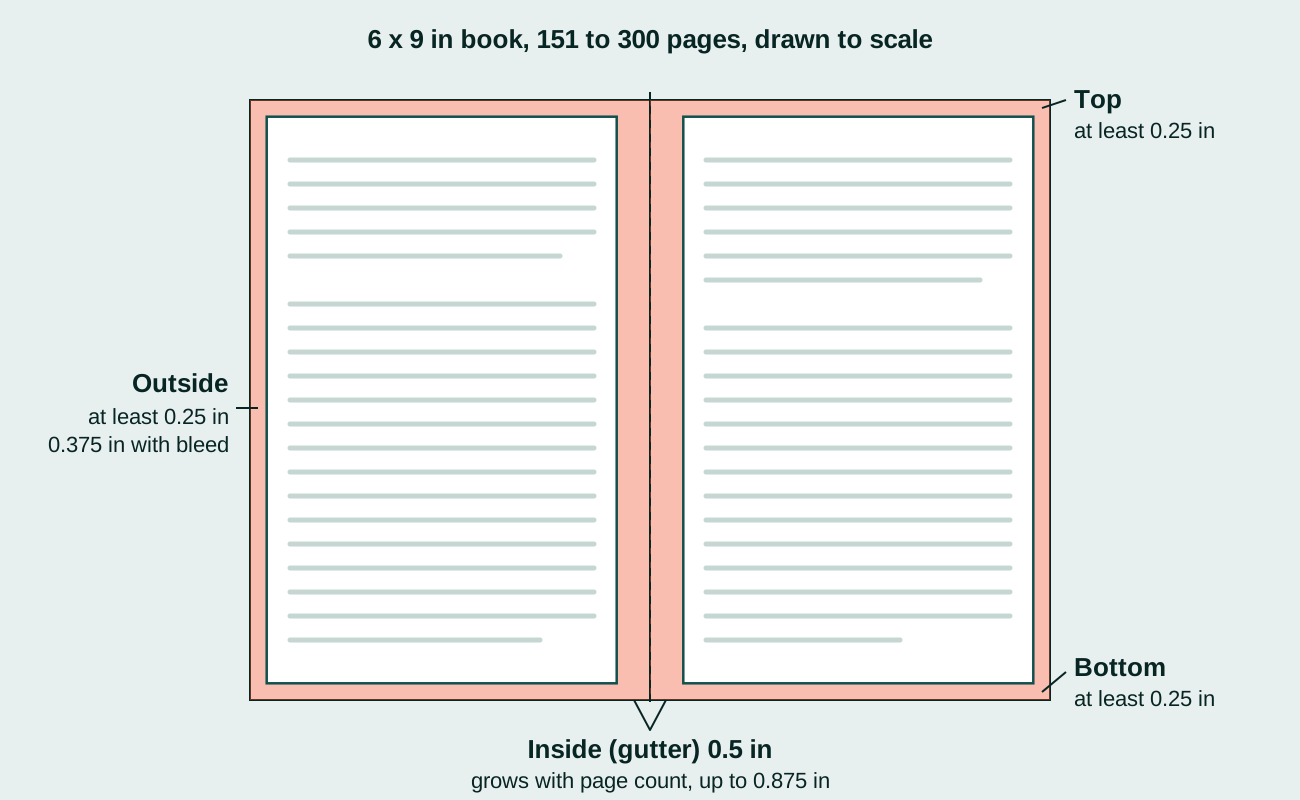
These are minimums, not recommendations. A page that meets them will print. Whether it reads well is a layout decision on top.
Why the inside margin grows
The inside margin is the one that disappears into the spine. KDP gives the reason itself: “the higher the number of pages, the thicker the book will become, which means the inside margin must also increase to allow enough space for the spine.”
KDP calls the inside margin the gutter, and says some software has separate fields for both. If yours does, check that the total you set matches the table.
KDP works out your page count from your file and rounds it up to an even number. The minimum is 24 pages. Add pages and you may move into the next row of the table.
If images or colour reach the edge of the page
A page needs bleed when anything touches the edge: a photograph, a tint, a border. Bleed is extra picture that gets trimmed off, so no white sliver shows.
For a book with bleed, KDP asks you to:
- Extend the images 0.125 in (3.2 mm) past the trim size on the top, bottom and outer edges.
- Make the PDF page 0.25 in taller and 0.125 in wider than the trim size. A 6 x 9 in book becomes 6.125 x 9.25 in.
- Use an outside margin of at least 0.375 in.
- Upload a PDF. Without bleed you can also upload Word and other formats, but with bleed it must be a PDF.
Setting the margins in your software
In Word, KDP’s steps are: Layout tab, Margins, Custom Margins, then choose Mirror margins under Multiple pages and apply it to the whole document. Mirror margins is what gives you an inside and an outside margin instead of a left and a right.
In Adobe InDesign, tick Facing Pages when you make the document. The margin fields then read Inside and Outside. The bleed fields are Top, Bottom, Inside and Outside. Set 0.125 in on top, bottom and outside, and 0 inside, so the exported page matches KDP’s size.
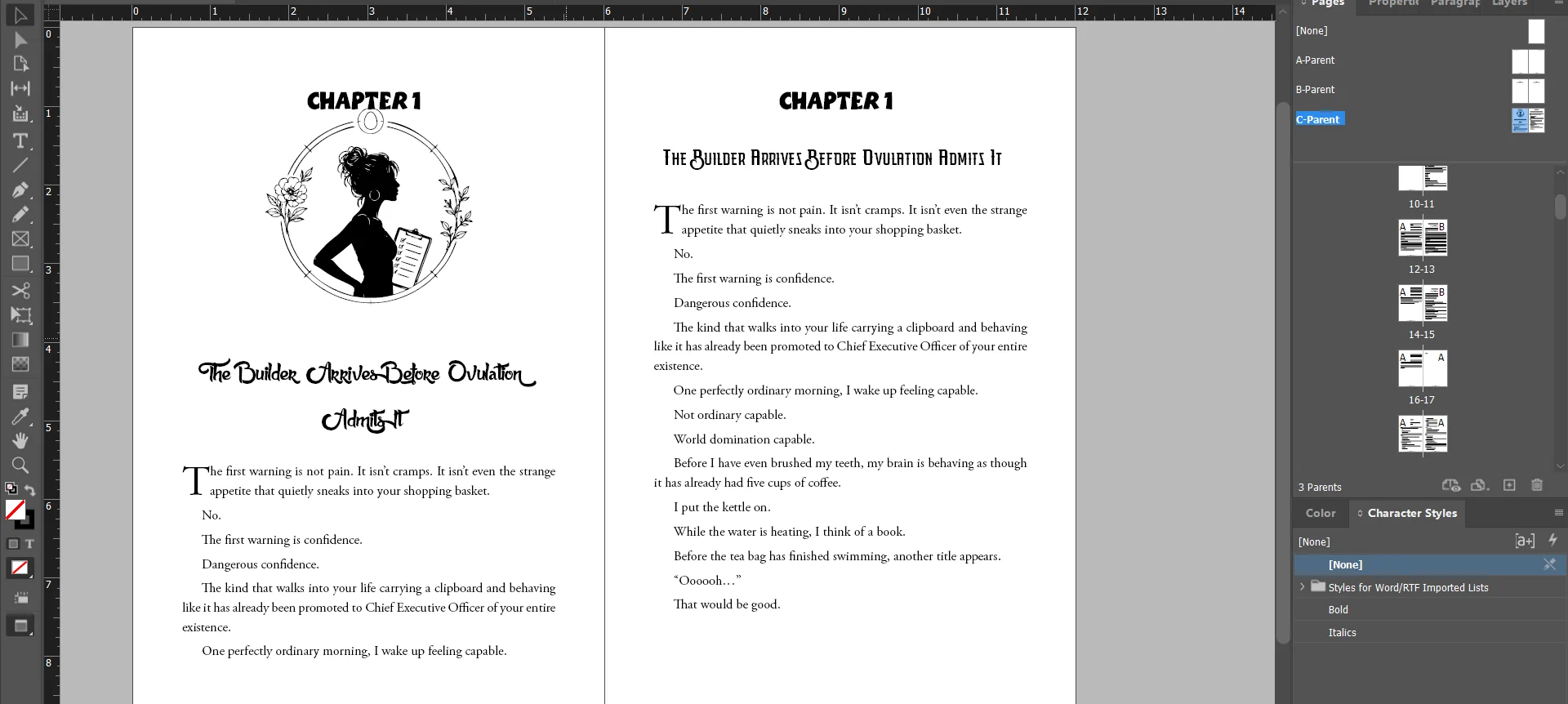
This is a book we set in InDesign. The rulers run in inches, so every margin can be checked against the table above before the PDF is exported.
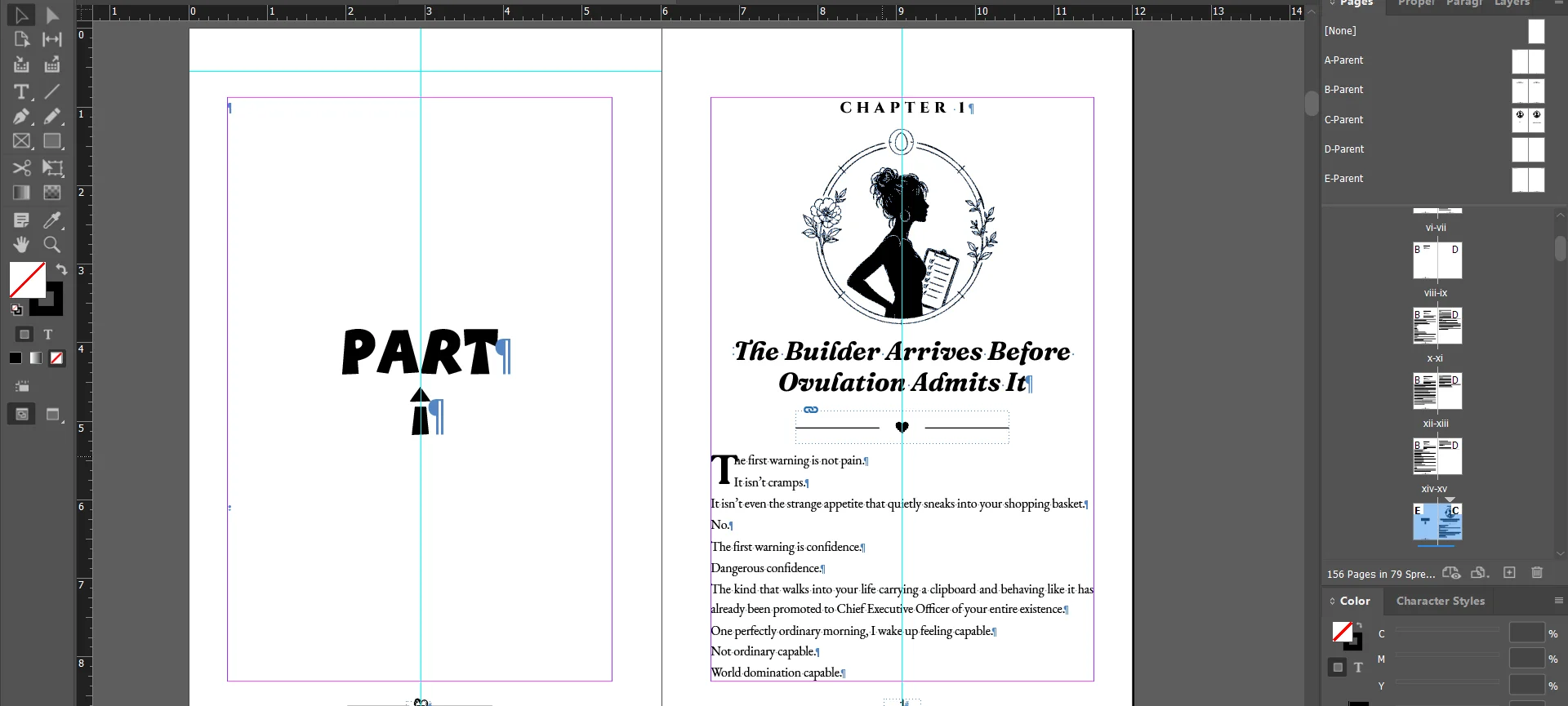
Switch the guides on and every margin shows as a coloured line on the page, so nothing can drift into the gutter unnoticed:
The other numbers on the same page
KDP puts several print numbers beside the margins:
- Smallest type: 7 points.
- Images: at least 300 DPI. KDP suggests no more than 600 DPI to keep the file under 650 MB.
- Lines in tables and charts: at least 0.75 point (0.01 in, 0.3 mm).
- Grey backgrounds on black ink: a fill of at least 10 percent is recommended.
- Pages: single pages, not spreads, with every font embedded.
A real author’s version of the problem
Margins are not only about text. In a r/selfpublish thread from September 2023, an author kept getting a bleed error on a KDP cover and wrote: “I’m getting this error bleed or no bleed, and have resized the cover files repeatedly.”
The answer that fitted was about margins, not bleed:
Errors like this can persist when you’re actually having a Live Element Margin issue. That can happen when text, borders, or anything like either is a little too close to the trim edge, and that’s regardless of bleed. (source)
The same thing happens inside the book. A border, a rule or a page ornament near the edge counts as content.
Short answers
What is the minimum page count for a KDP paperback? 24 pages.
What margins does a 6 x 9 book need? It depends on the page count and on bleed. A 6 x 9 book of 200 pages with no bleed needs an inside margin of 0.5 in and at least 0.25 in on the other three sides. At 320 pages the inside margin becomes 0.625 in.
Do I need bleed? Only if an image or colour touches the edge of the page. A book of plain text does not.
Can I upload a Word file? Yes, if the book has no bleed. KDP converts it to PDF. With bleed, upload a PDF.
To get the spine width and the cover file size for your own page count, with every step shown, use the spine width and cover size calculator.
When to hand it over
TintaPress sets book interiors by hand in Adobe InDesign to these numbers and checks the exported PDF before upload. If KDP has already flagged your file, see file repair.
Sources
- Kindle Direct Publishing, Paperback Submission Guidelines, read 14 November 2026.
- Kindle Direct Publishing, Set Trim Size, Bleed, and Margins, read 14 November 2026.
- Kindle Direct Publishing, Fix Paperback and Hardcover Formatting Issues, read 14 November 2026.
- r/selfpublish, Amazon KDP cover file bleed error despite repeatedly resizing, 12 September 2023.